Did you know that Salesforce uses two types of record IDs: 15-digit and 18-digit? In this article, we will explore both types of IDs and the differences between them.
Why Two Types of Record IDs?
Salesforce initially used 15-digit case-sensitive IDs. However, case-sensitive IDs posed problems when working with case-insensitive external systems. To resolve this, Salesforce introduced an 18-digit case-insensitive version that includes a checksum to differentiate case variations.
15-Digit Record Id
- Case sensitive, meaning
001ABC123def456is different from001abc123DEF456 - The id is typically used in Salesforce user interface i.e., When you view records within Salesforce, you will see the 15-digit ID in the URL.
18-Digit Record Id
- Case insensitive, making it suitable for use in environments where case sensitivity is not supported.
- This ID is used for API interactions and tools like Data Loader.
Lets take a deeper look at 18 Digit Record Id.
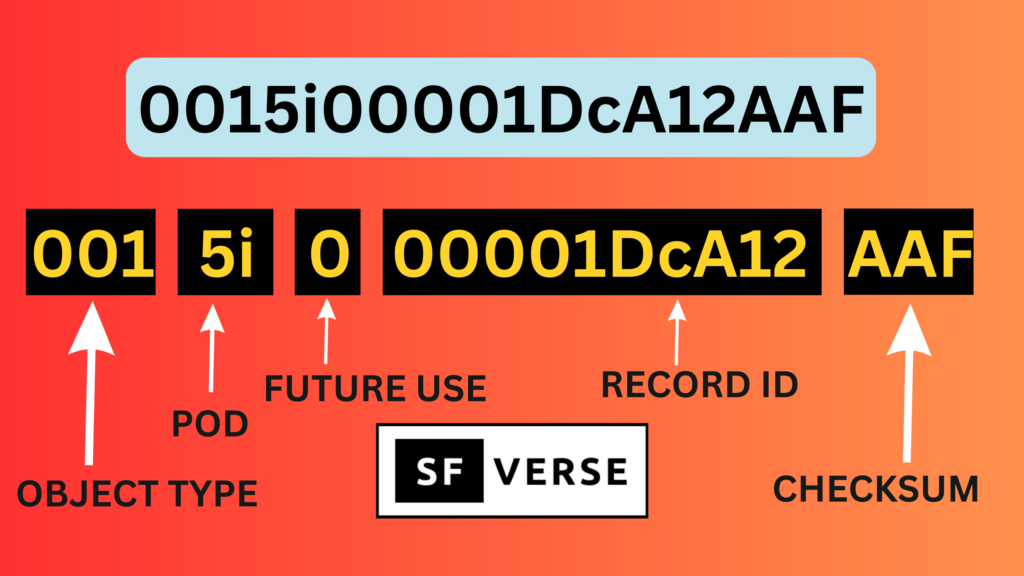
In the above image Object Type means Account, Contact etc. it means you can figure the object by looking at the first 3 digits of the record id. POD stands for Point for deployment.
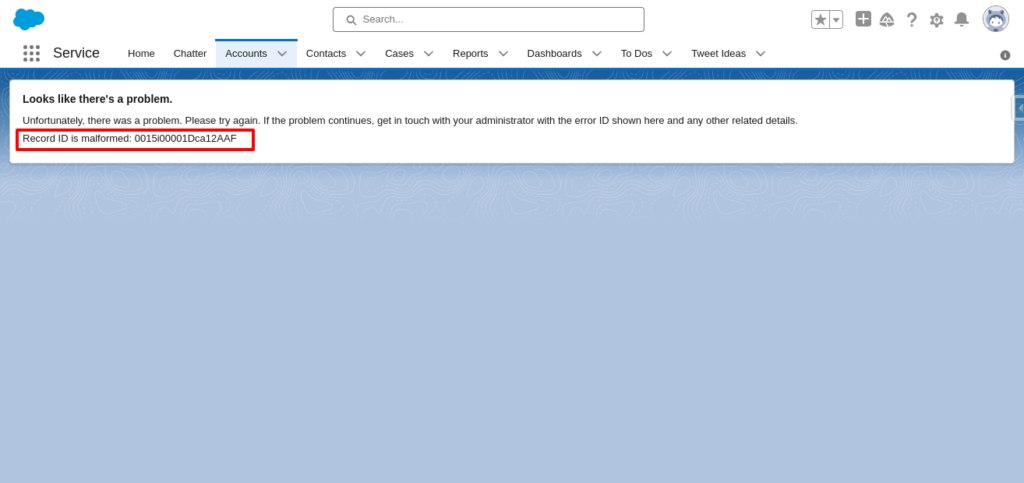
If you open a record in Salesforce classic in the URL you will see a 15 digit record Id but in the Lightning experience you will see a 18 digit record Id. If you change the case of the record id and try to reload a page it will give you an error page like below image. But removing the last 3 characters from the 18 digit record id will not give an error.
Do you know you can convert 18 digit Id to 15 digit Id using apex. Have a look at the code below.
String Digit_18_ID = '0015i00001DcA12AAF';
String Digit_15_ID = '0015i00001DcA12';

Id Digit_18_Id_Copy = Digit_18_ID;

System.debug(Digit_15_ID);
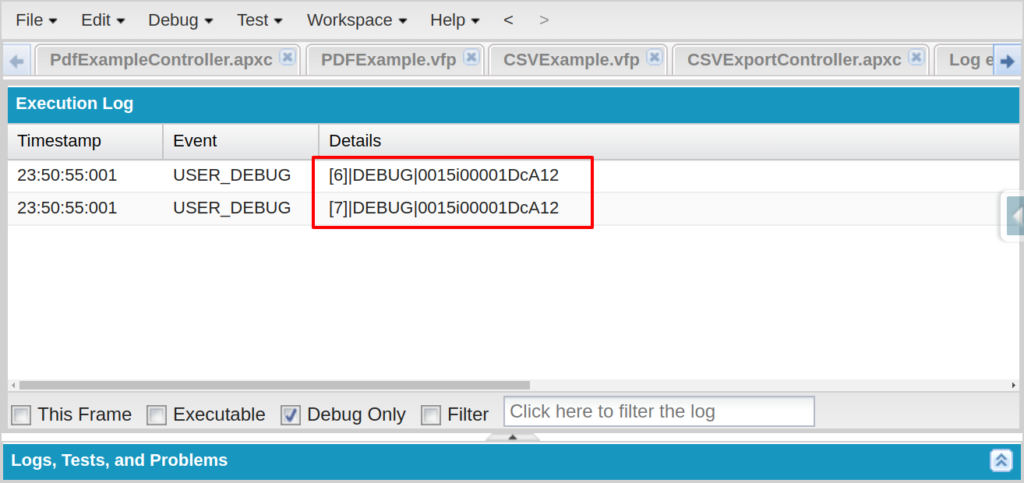
System.debug(Digit_18_Id_Copy.to15());
Here is what you will see in debug logs when you execute the code from anonymous window.
If you need an 18-digit ID in a formula field, use this: CASESAFEID(Id). This formula automatically converts a 15-digit record ID to its 18-digit equivalent.
Always remember when querying records, Salesforce automatically returns 18-digit record IDs.
Also check out below video on What are Salesforce 15 Digit and 18 Digit Record Ids?
Summary
- Salesforce records have two types of IDs: 15-digit (case-sensitive) and 18-digit (case-insensitive).
- The 18-digit ID was introduced to prevent case-sensitivity issues.
- You can convert one into another via the methods I have told above.
- Always use the 18-digit ID when integrating with external systems.
We hope now you know about 15-Digit and 18-Digit Record Ids in Salesforce. If you have any doubts then let us know in the comment box below.